
Are you a CS:GO enthusiast looking to add an extra layer of excitement to your gameplay? Or perhaps you're just curious about the world of skin betting? Gamdom is a popular platform where you can use your valuable CS:GO skins to bet on various games. This guide will walk you through the process, ensuring you do it easily and, most importantly, safely.
What is Gamdom?
Gamdom is a prominent online gambling platform known for its wide array of games, including Crash, Roulette, Hilo, and more. What sets it apart for many CS:GO players is its seamless integration with Steam, allowing users to deposit and withdraw CS:GO skins. It's a fun way to potentially multiply your inventory or simply enjoy the thrill of gambling.
Is Betting CS:GO Skins on Gamdom Safe?
This is a crucial question, and the answer is generally yes, with some caveats. Gamdom itself employs various security measures to protect user data and transactions. However, the overall safety also heavily relies on your own practices.
Here's why it can be considered safe:
Provably Fair System: Gamdom utilizes a provably fair system for its games, meaning you can verify the fairness of each round, ensuring results aren't manipulated.
SSL Encryption: The website uses SSL encryption to protect your personal information and transactions.
Two-Factor Authentication (2FA): Gamdom supports 2FA, a critical security feature that adds an extra layer of protection to your account.
However, to ensure your safety, you must:
Use Strong, Unique Passwords: Never reuse passwords, especially those linked to your Steam account.
Enable 2FA: This is non-negotiable for serious skin betting.
Be Wary of Phishing Scams: Always double-check the URL to ensure you're on the legitimate Gamdom site. Never click on suspicious links.
Keep Your Steam Account Secure: Your CS:GO skins are linked to your Steam account, so ensure it's heavily protected.
How to Easily Deposit CS:GO Skins on Gamdom
Depositing your CS:GO skins on Gamdom is a straightforward process. Here's a step-by-step guide:
Create or Log In to Your Gamdom Account:
If you're new, sign up using your Steam account or email. If using Steam, you'll be redirected to a Steam login page to authenticate.
If you already have an account, simply log in.
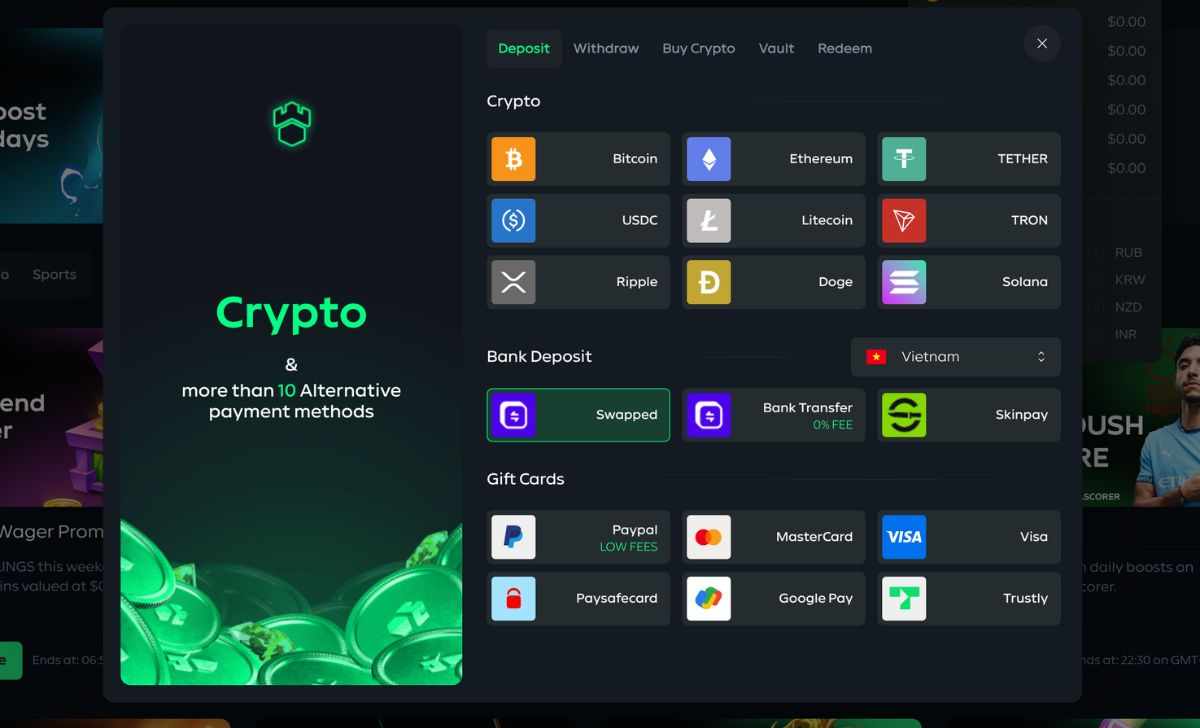
Navigate to the "Deposit" Section:
Once logged in, look for the "Deposit" button, usually located in the top right corner of the interface.
Select "CS:GO Skins" as Your Deposit Method:
Gamdom offers various deposit methods. Choose the "CS:GO Skins" option.
Choose the Skins You Wish to Deposit:
A new window will appear, displaying your eligible CS:GO inventory.
Select the skins you want to deposit into your Gamdom balance. The system will show you the equivalent value of these skins in Gamdom coins.
Confirm the Trade Offer:
Gamdom will generate a trade offer on Steam.
You'll need to accept this trade offer through your Steam account, typically via the Steam Guard Mobile Authenticator for security.
Crucially: Always verify that the trade offer is from a legitimate Gamdom bot. Check the bot's profile and inventory for consistency.
Receive Your Gamdom Coins:
Once you accept the trade offer, your skins will be transferred, and the corresponding Gamdom coins will be credited to your account balance almost instantly.
How to Easily Withdraw CS:GO Skins from Gamdom
Withdrawing your winnings or unused balance back into CS:GO skins is just as simple:
Navigate to the "Withdraw" Section:
Similar to depositing, find and click on the "Withdraw" button on the Gamdom interface.
Select "CS:GO Skins" as Your Withdrawal Method:
Choose the "CS:GO Skins" option from the available withdrawal methods.
Browse and Select Skins:
Gamdom will display a wide range of CS:GO skins available for withdrawal from their inventory, up to the value of your Gamdom balance.
Browse through the available skins and select the ones you desire. You can filter by weapon, rarity, price, and more.
Confirm Your Trade URL:
Ensure your Steam Trade URL is correctly entered and up-to-date in your Gamdom profile settings. This is how the skins will be sent to you.
Confirm the Withdrawal:
Review your selected skins and the total value.
Confirm the withdrawal request.
Accept the Steam Trade Offer:
Similar to depositing, Gamdom will send a trade offer to your Steam account.
Accept this trade offer via your Steam Guard Mobile Authenticator.
Again, always verify the legitimacy of the bot.
Receive Your Skins:
Once you accept, the skins will be transferred to your Steam inventory.
Tips for a Safe and Enjoyable Betting Experience
Set a Budget: Only bet what you can afford to lose. Gambling should be for entertainment, not a source of income.
Understand the Games: Before placing bets, familiarize yourself with the rules and odds of the games you're playing.
Utilize Bonuses and Promotions: Gamdom often offers daily rewards, rain, and other bonuses. Take advantage of these to boost your balance.
Practice Responsible Gambling: If you feel like your gambling habits are getting out of control, seek help. Gamdom also offers self-exclusion options.
Stay Updated on Security: Keep your browser, operating system, and Steam client updated to ensure you have the latest security patches.
By following these steps and tips, you can easily and safely engage in CS:GO skin betting on Gamdom, adding an exciting dimension to your gaming world. Happy betting!


Write a comment ...